Adding Client Passport Information / Green Card Details
1. Click "Clients" from the Sidebar Menu.
2. A list of all of your clients will appear. Click on the client you want to edit.
3. A pop-up will appear. Click "Edit" in the top right of the page.
4. Scroll down to "Additional Information" and select "+Passport Information / Green Card Details".
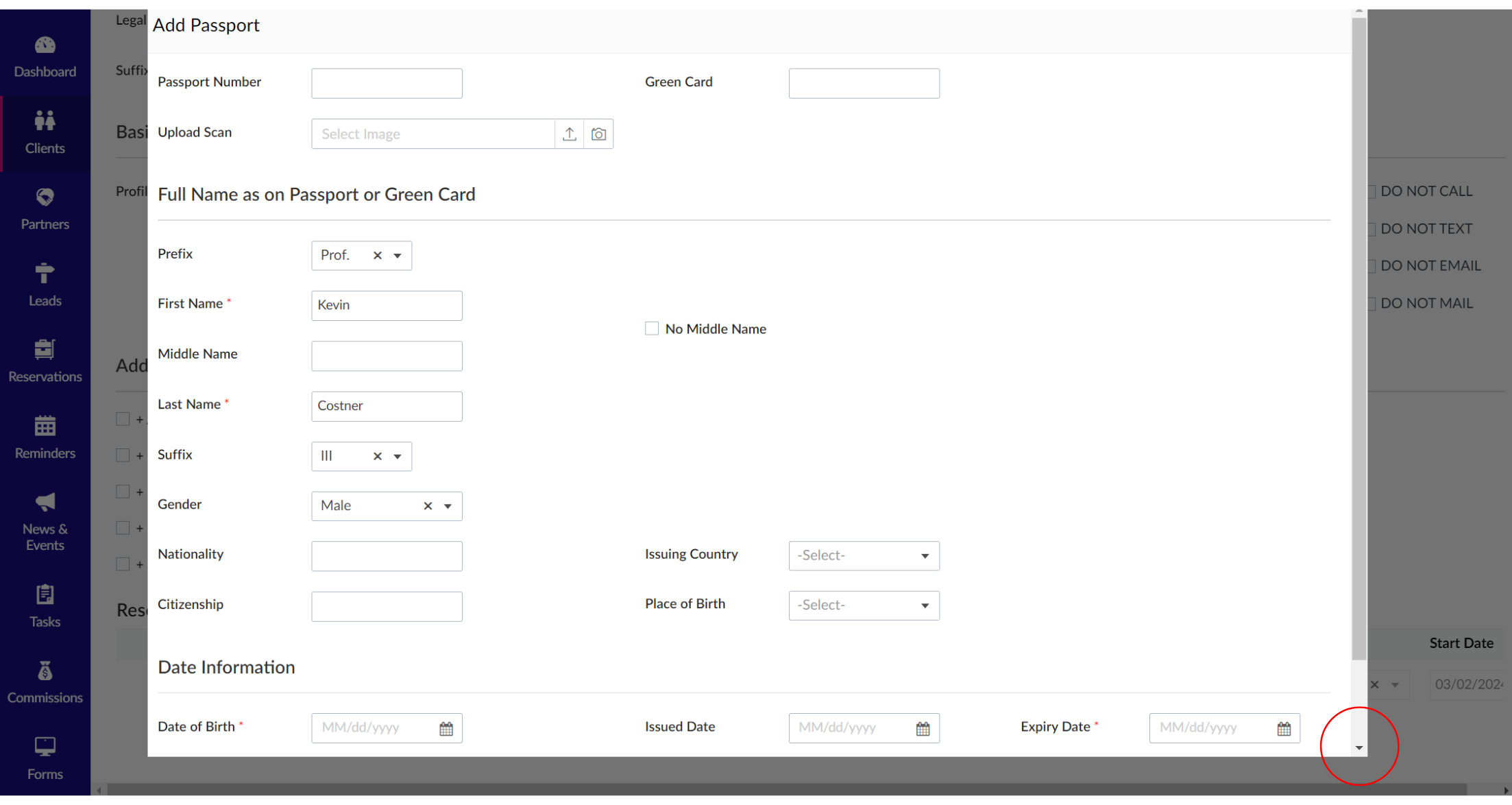
5. A pop-up will appear. Enter the Passport Information or Green Card Details in the respective fields. Please note the required fields are notated with a red asterisk, including: First Name, Last Name, and Date of Birth. When you're finished, scroll down and select the pink "Submit" button at the bottom.
Related Articles
Adding Client Payment Information
1. Click "Clients" from the Sidebar Menu. 2. A list of all of your clients will appear. Click on the client you want to edit. 3. A pop-up will appear. Click "Edit" in the top right of the page. 4. Scroll down to "Additional Information" and select ...Adding Client Preferences
1. Click "Clients" from the Sidebar Menu. 2. A list of all of your clients will appear. Click on the client you want to edit. 3. A pop-up will appear. Click "Edit" in the top right of the page. 4. Scroll down to "Additional Information" and select ...Adding Client Notes
1. Click "Clients" from the Sidebar Menu. 2. A list of all of your clients will appear. Click on the client you want to edit. 3. A pop-up will appear. Click "Edit" in the top right of the page. 4. Scroll down to "Additional Information" and select ...Emailing Credit Card Authorization Forms
1. Click "Clients" on the Sidebar Menu. 2. A list of all of your clients will appear. Go to the left column and click the three pink dots that will appear on the client row. Click the "Email CC Auth Form" button. PLEASE NOTE: You can only send Credit ...Adding Client Addresses
1. Click "Clients" from Sidebar Menu. 2. A list of all of your clients will appear. Click on the client row you want to edit. 3. A pop-up will appear. Click "Edit" in the top right of the page. 4. Scroll down to "Additional Information" and select ...