Adding Client Addresses
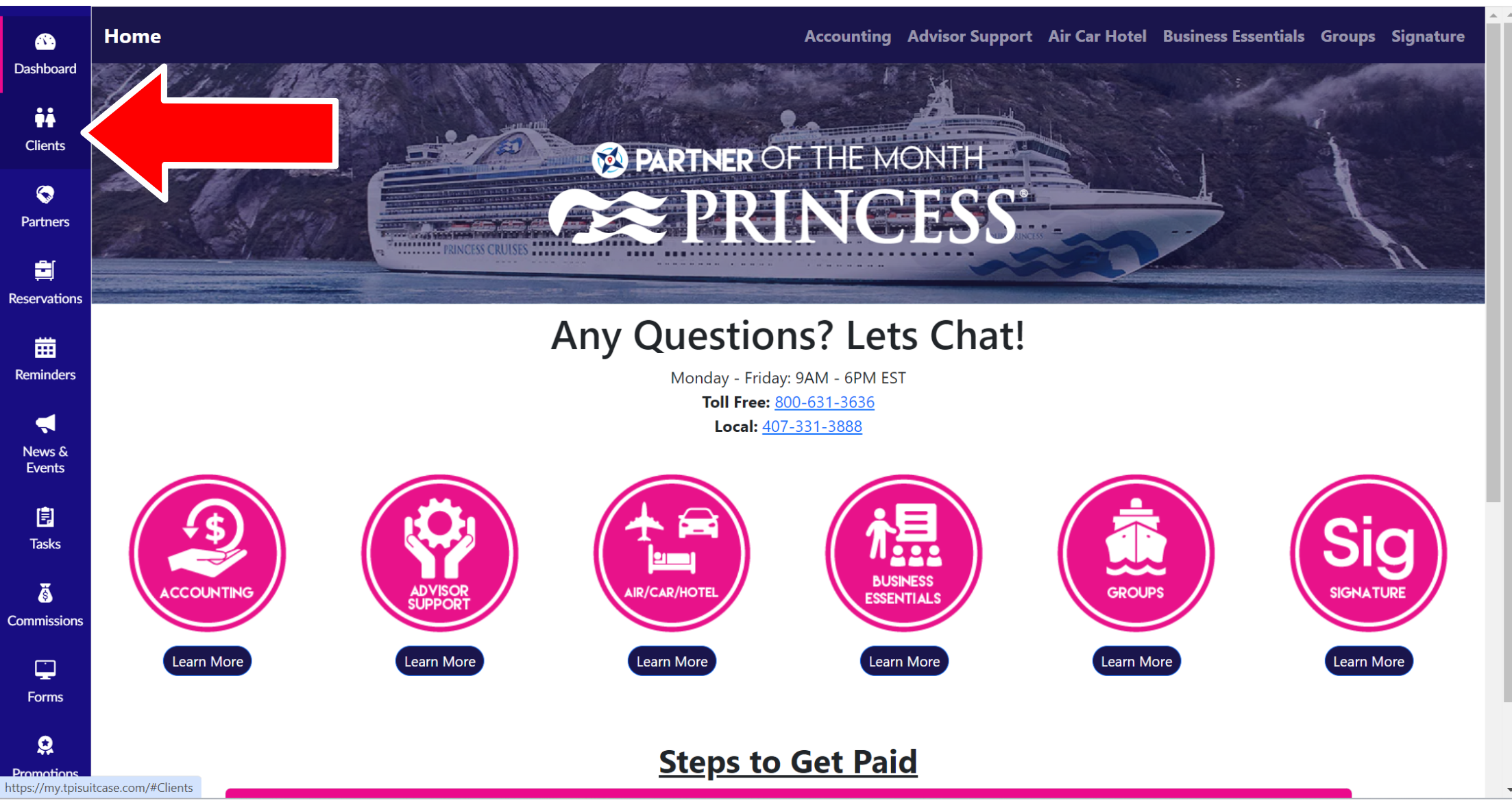
1. Click "Clients" from Sidebar Menu.
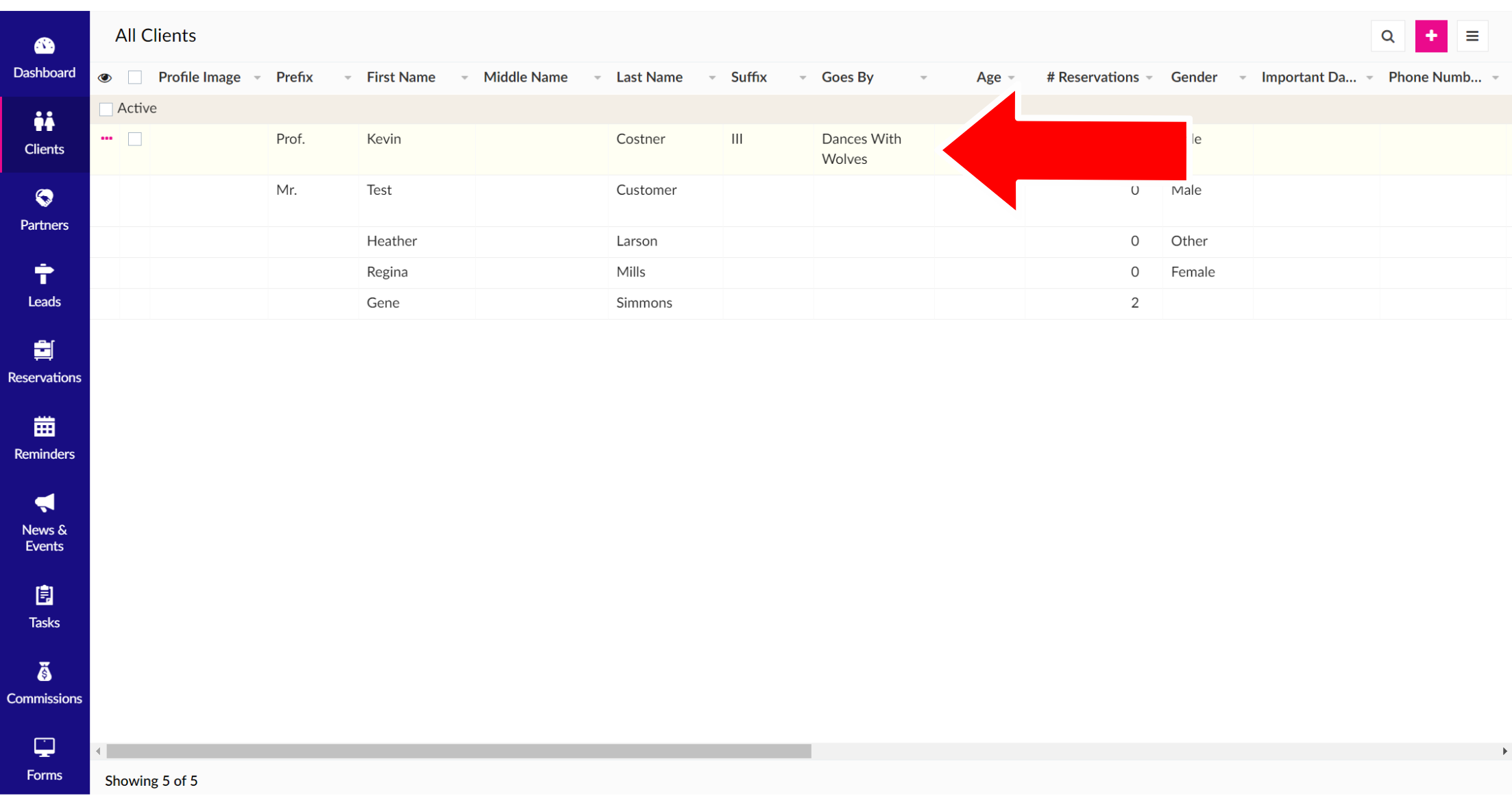
2. A list of all of your clients will appear. Click on the client row you want to edit.
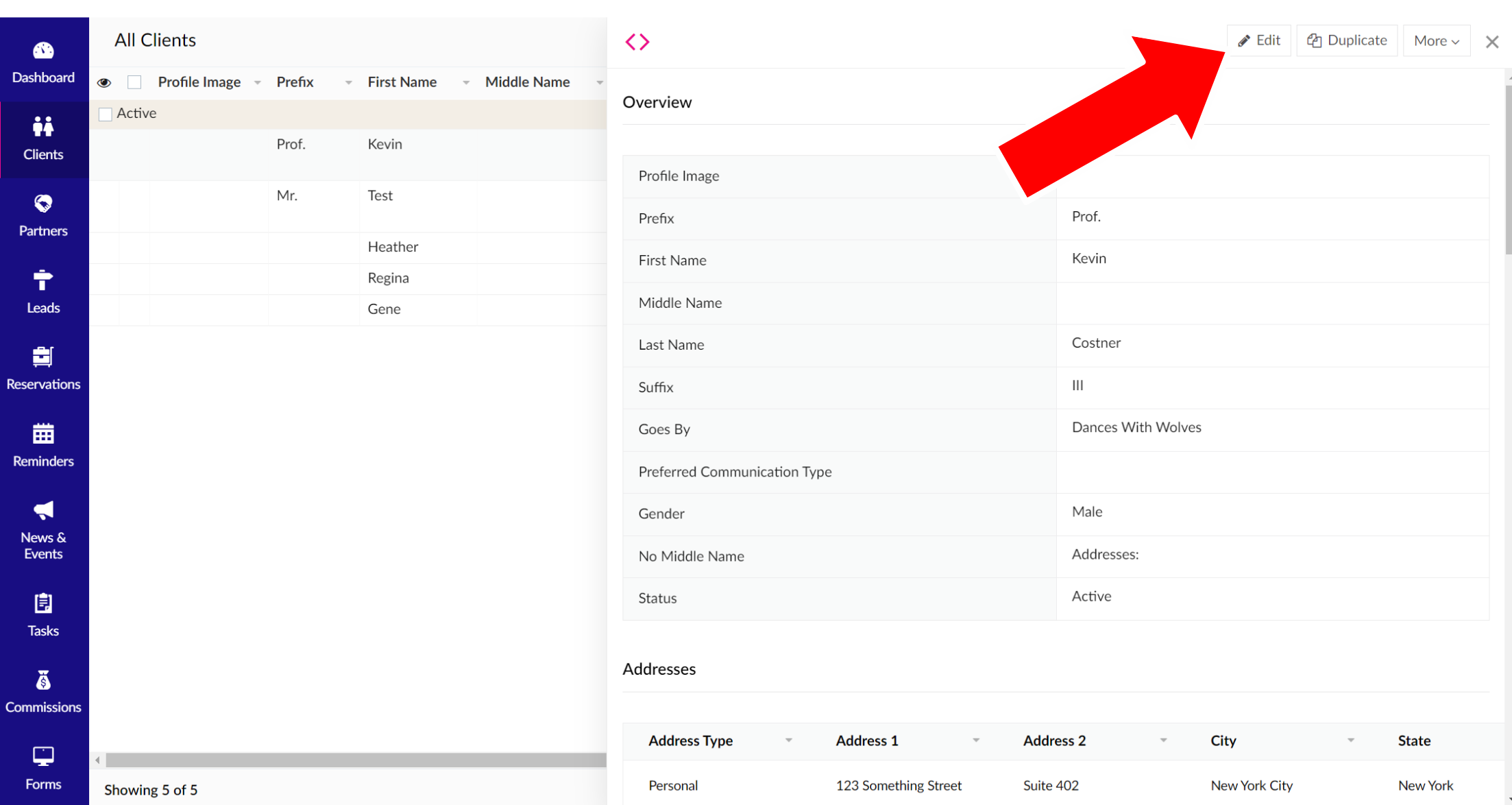
3. A pop-up will appear. Click "Edit" in the top right of the page.
4. Scroll down to "Additional Information" and select "+Addresses".

5. A pop-up will appear. Enter the respective information, but please notate the pink asterisks indicate required information, including: Address Type. When you're finished, hit the pink "Submit" button.
Related Articles
Adding Client Email Addresses
1. Click "Clients" from Sidebar Menu. 2. A landing page of all of your clients will appear. Click the client row that you want to edit. 3. A pop-up will appear. Click "Edit" in the top right of the page. 4. Scroll down to "Additional Information" and ...Adding Client Payment Information
1. Click "Clients" from the Sidebar Menu. 2. A list of all of your clients will appear. Click on the client you want to edit. 3. A pop-up will appear. Click "Edit" in the top right of the page. 4. Scroll down to "Additional Information" and select ...Adding Client Preferences
1. Click "Clients" from the Sidebar Menu. 2. A list of all of your clients will appear. Click on the client you want to edit. 3. A pop-up will appear. Click "Edit" in the top right of the page. 4. Scroll down to "Additional Information" and select ...Adding Client Relationships
1. Click "Clients" from the Sidebar Menu. 2. A list of all of your clients will appear. Click on the client that you want to edit. 3. A pop-up will appear. Click "Edit" in the top right of the page. 4. Scroll down to "Additional Information" and ...Adding Client Notes
1. Click "Clients" from the Sidebar Menu. 2. A list of all of your clients will appear. Click on the client you want to edit. 3. A pop-up will appear. Click "Edit" in the top right of the page. 4. Scroll down to "Additional Information" and select ...