Converting Quote to Invoice
1. Click "Reservations" from the Sidebar Menu and select "All Reservations" from the drop-down.
2. A landing page with all of your Reservations will appear. Click on the booking you wish to change from a Quote to an Invoice.
3. A pop-up will appear. Click "Edit" in the upper right corner.
5. Click the drop-down next to "Reservation Type" and select "Invoice".
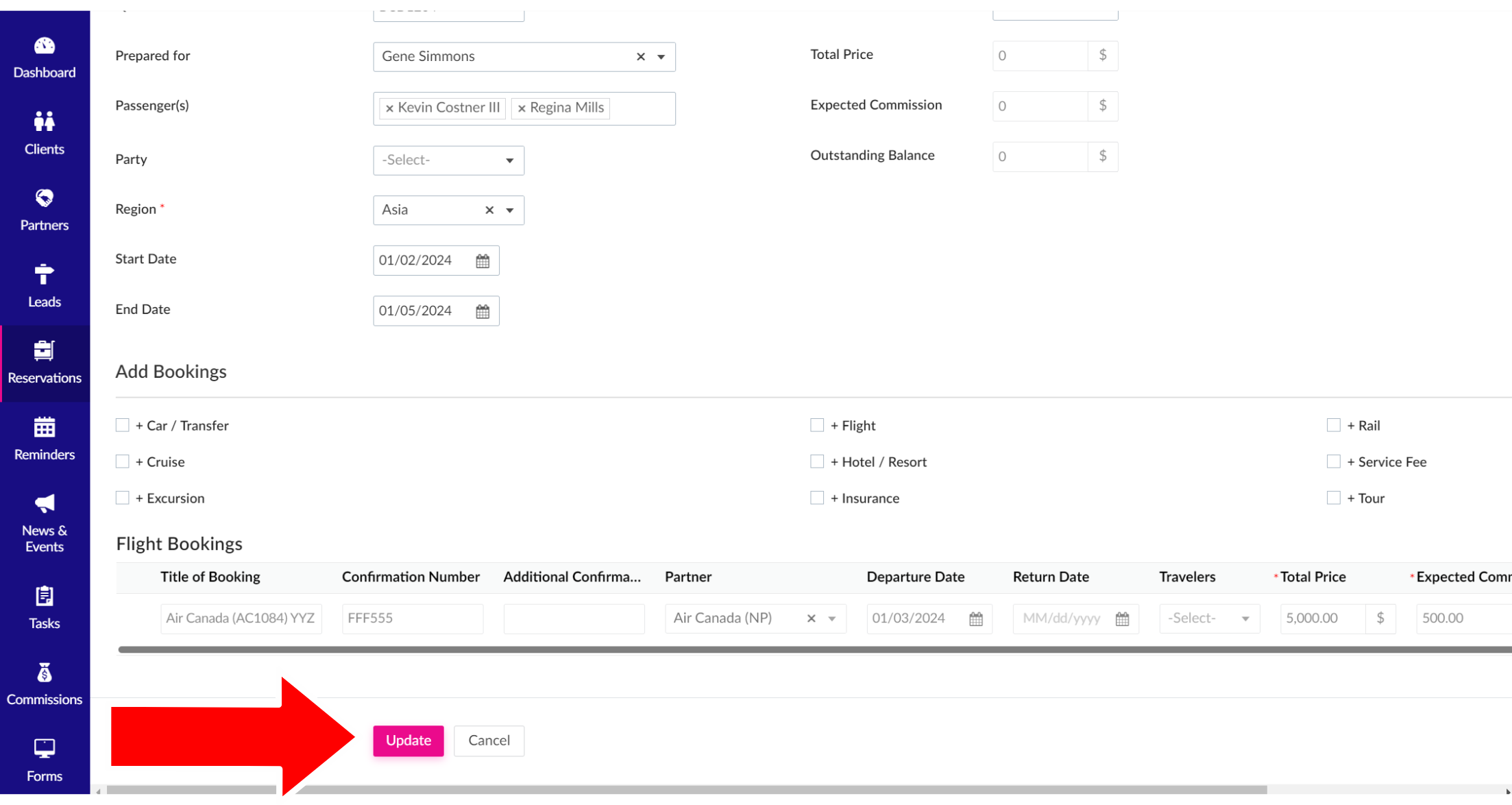
6. Scroll to the bottom of the page and click the pink "Update" button to complete.
Related Articles
Emailing Invoices
1. Choose "Reservations" from the Sidebar Menu and select "Invoices" from the drop-down. 2. A list of all of your Invoices will appear. Click the pink "Email Invoice" button in the left column. PLEASE NOTE: You can only send an Invoice if you've ...Printing and Exporting Invoices
1. Click "Reservations" from the Sidebar Menu and choose "Invoices" from the drop-down. 2. A list of all of your Invoices will appear. Click the box to the left of the Invoice you want to print or export. At the top left of the page, "Print" and ...Emailing Quotes
1. Choose "Reservations" from the Sidebar Menu and select "Quotes" from the drop-down. 2. A list of all of your Quotes will appear. Click the pink "Email Quote" button in the left column. PLEASE NOTE: You can only send a Quote if you've added a valid ...Printing and Exporting Quotes
1. Click "Reservations" from the Sidebar Menu and choose "Quotes" from the drop-down. 2. A list of all of your Quotes will appear. Click the box on the left side of the Quote you want to print or export. On the top left of the page, "Print" and ...Welcome to the new TPISuitcase!
About the Knowledge Base All of us here at Travel Planners International are so excited to provide you with this simple-to-use, easy-to-find Knowledge Base of everything TPI Suitcase. Within this Knowledge Base, you'll be able to find most of the ...