Viewing the Events Calendar
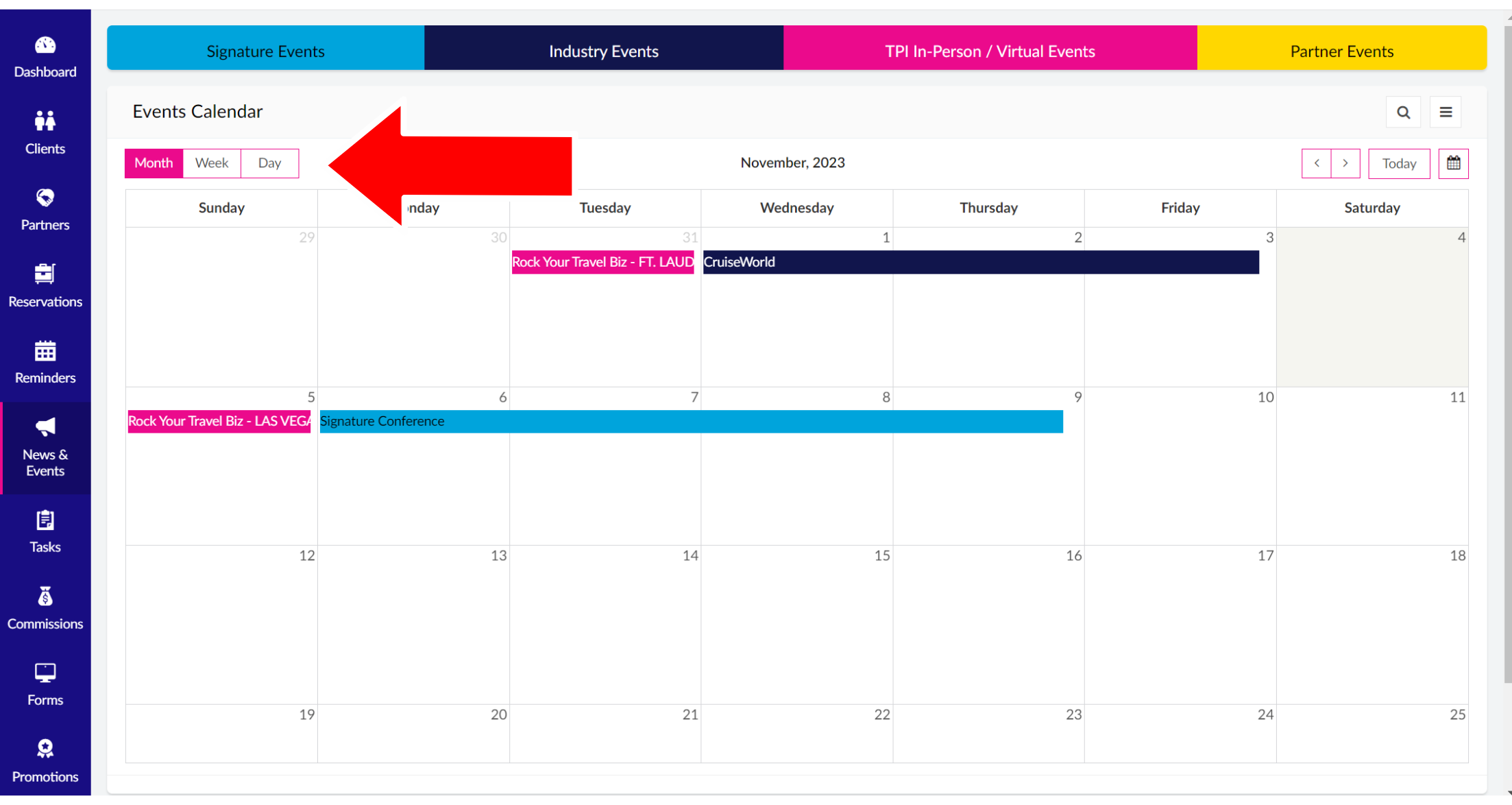
1. Click "News & Events" from the Sidebar Menu and select "Events" from the drop-down.
2. The default landing page is the current month. The top toolbar consists of a color-coded legend to distinguish between different event types, such as: Signature Events, Industry Events, TPI In-Person/Virtual Events, and Partner Events. You can change your view by clicking on Month, Week, or Day in the left corner of the page.
Related Articles
Viewing the Reminders Calendar
1. Click on "Reminders" in the Sidebar Menu. 2. The default landing page is the current month. The top toolbar consists of a color-coded legend to distinguish between different reminder dates, such as: Birthday, Travel Dates, Anniversary / Wedding, ...My Settings
1. Scroll down on Sidebar Menu click "My Settings", then select "My Settings" from the drop-down. 2. A page will show you the Calendar Visibility Options, where you can change what information you see on your calendars. To remove, uncheck the pink ...Advisor Dashboard
1. Click "Dashboard" on the Sidebar Menu and select "Advisor Dashboard" from the drop-down. 2. The Advisor Dashboard gives you an overview of what's happening within your Reservations. The Advisor Dashboard is broken up into two sections: on the left ...Welcome to the new TPISuitcase!
About the Knowledge Base All of us here at Travel Planners International are so excited to provide you with this simple-to-use, easy-to-find Knowledge Base of everything TPI Suitcase. Within this Knowledge Base, you'll be able to find most of the ...